Time to upgrade Kubuntu 24.04 to 26.04#
Introduction#
Some time has passed since I upgraded my laptop from Kubuntu 23.10 to Kubuntu 24.04.
You can read about this upgrade in my previous post How to Upgrade Kubuntu 23.10 to 24.04.
Now, I am preparing to take the next step and upgrade to Kubuntu 26.04.
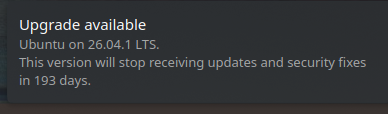
Screenshot above shows recommended upgrade to Kubuntu 26.10.1 which is the latest stable
version of Kubuntu.
Installation instead of upgrade#
However after long thinking I decided to take different approach and instead of upgrading current system,
I will do fresh installation of Kubuntu 26.04 on my laptop.
I can do that easy as laptop which I bought was delivered with Linux (Ubuntu) by default - YES I bought laptop without Windows. I kept original Ubuntu installation for solving issues with Nvidia drivers and dual monitors - comparing why is working on supported Ubuntu installation and why is not working on Kubuntu installation.
However this has been solved in most cases and I don’t think that I need to keep original Ubuntu installation on my laptop anymore.
Even if I have dedicated partition I need to plan carefully how to do fresh installation especially that some partitions will be shared between both Kubuntu installations.
I decided to document this process and share it with you in following posts and tutorials.